Built around how security contracts actually run
Every feature below is in the live product. Open the demo and try it as you read.
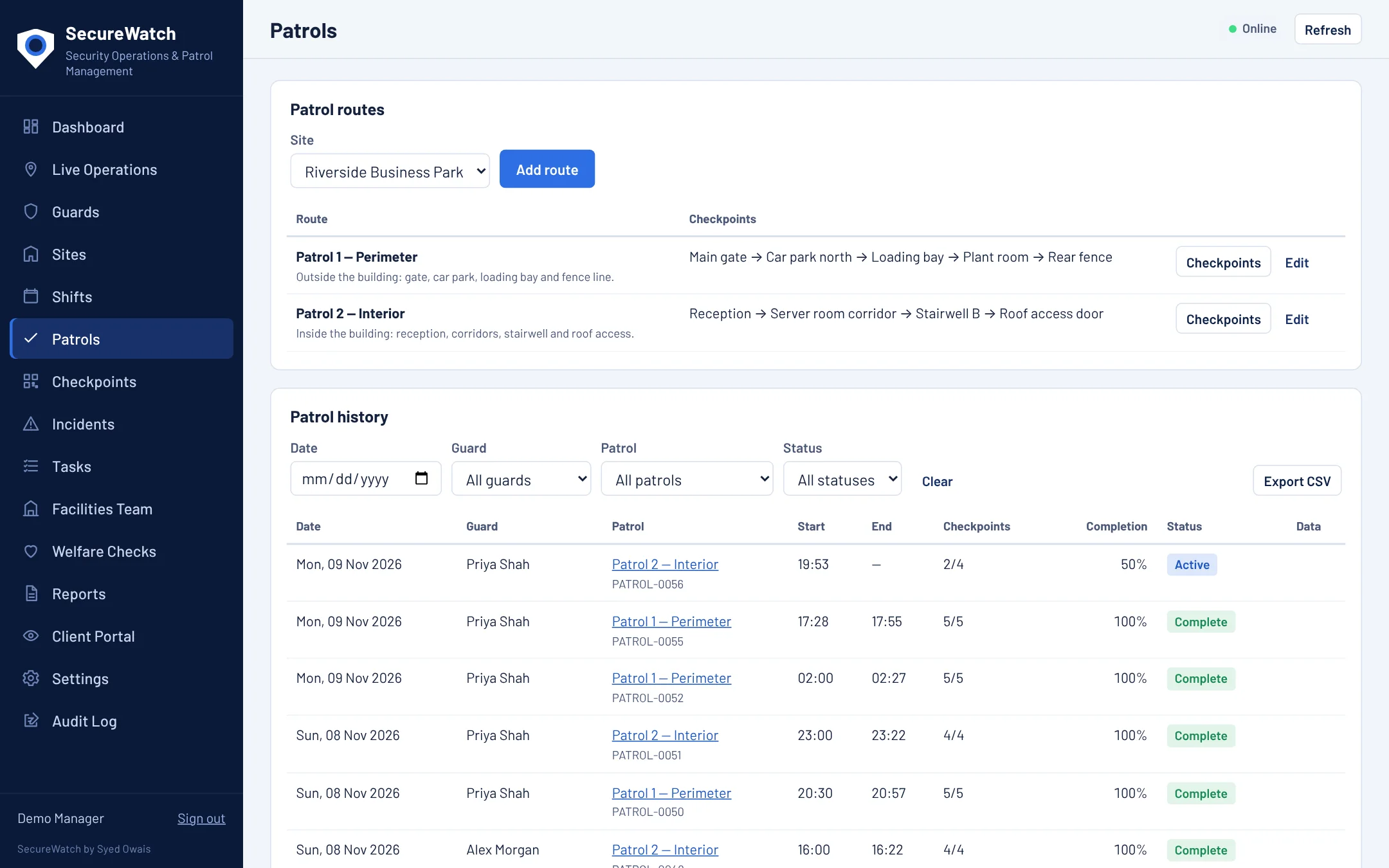
Patrols that prove themselves
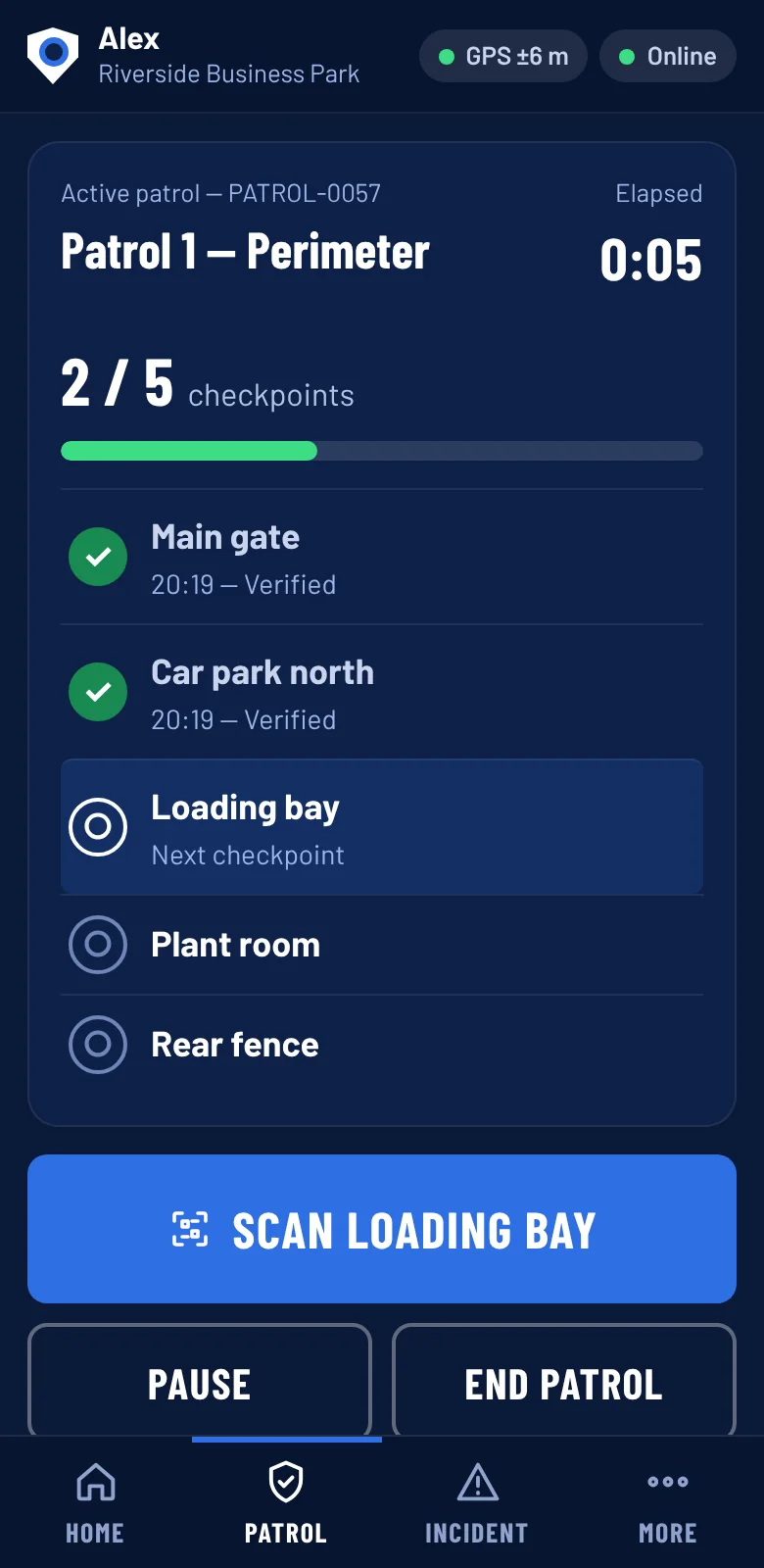
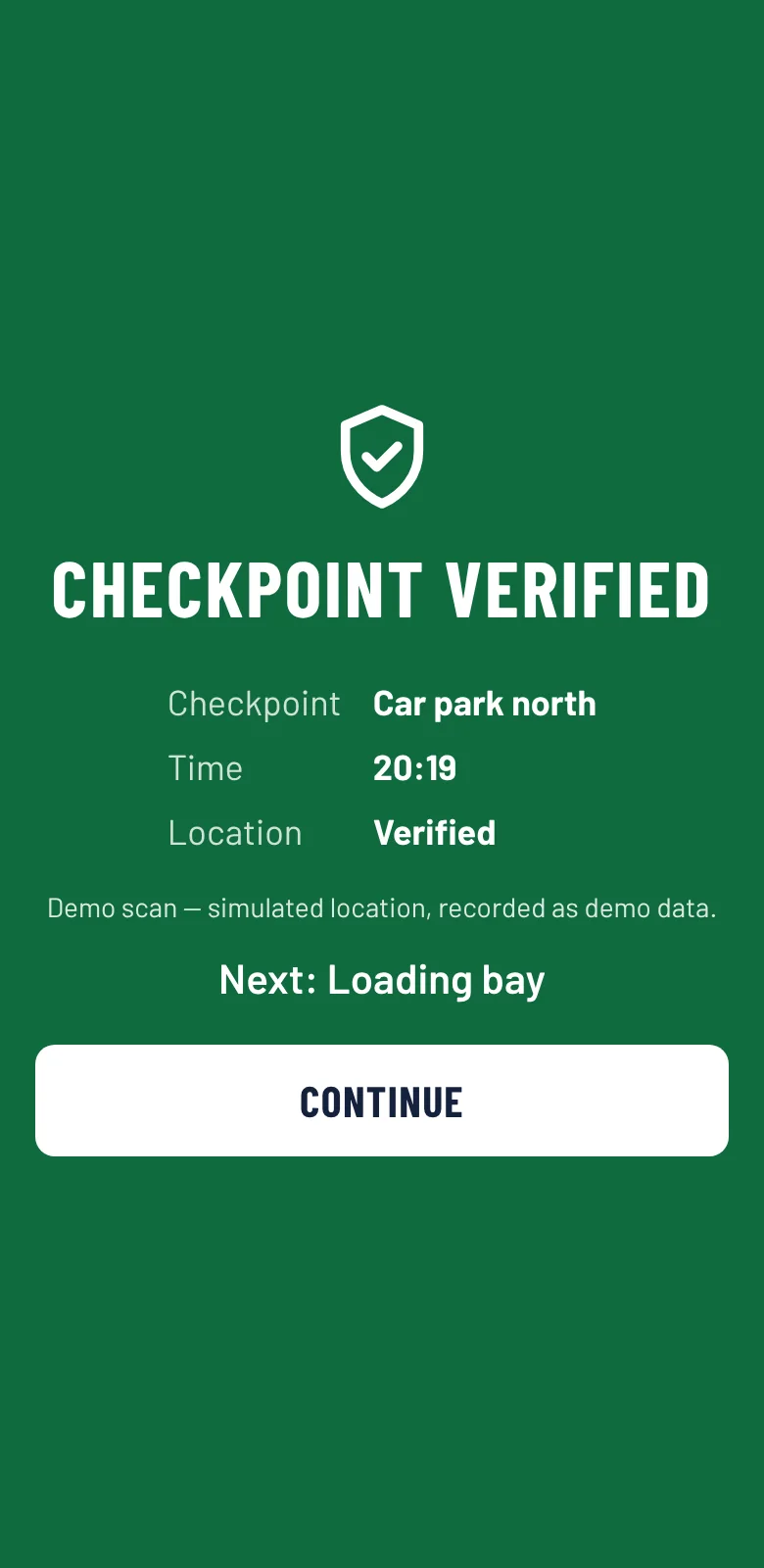
Define routes with checkpoints, print a QR code for each, and guards simply scan as they walk. Each scan records the time and GPS position and whether it was within range of the checkpoint.
- Required checkpoints and a set patrol frequency
- Guards must explain any missed checkpoint
- Pause a patrol with a reason
- Scans from the wrong site or route are rejected and logged
See who is where, right now
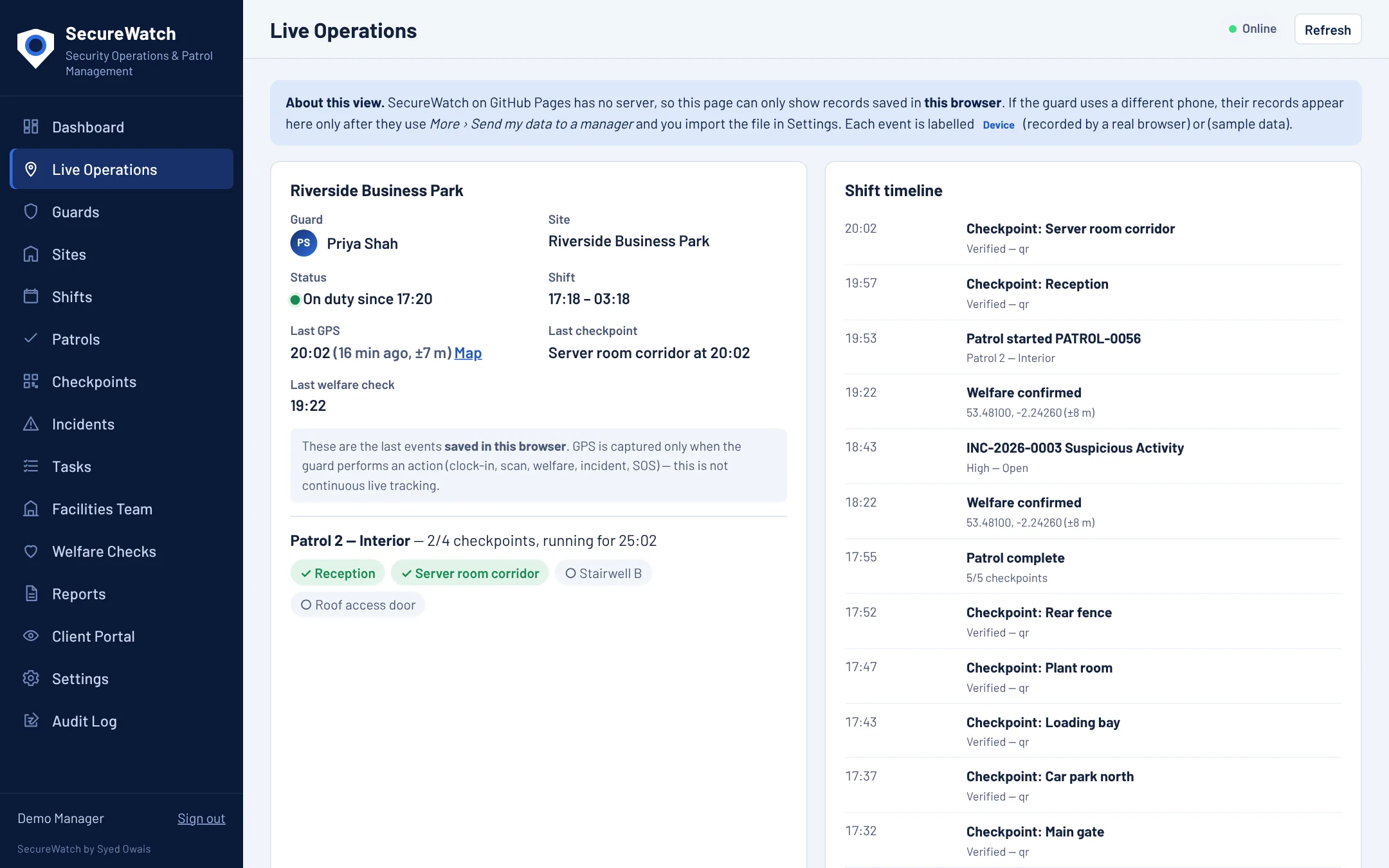
The live page shows every guard on duty: last checkpoint, last GPS fix, last welfare check and the patrol in progress, with a timeline of everything that has happened on the shift.
- GPS is captured when the guard acts (clock-in, scan, check-in, incident, SOS), not continuous tracking
- One click to open the position on a map
Report it once, track it to closed
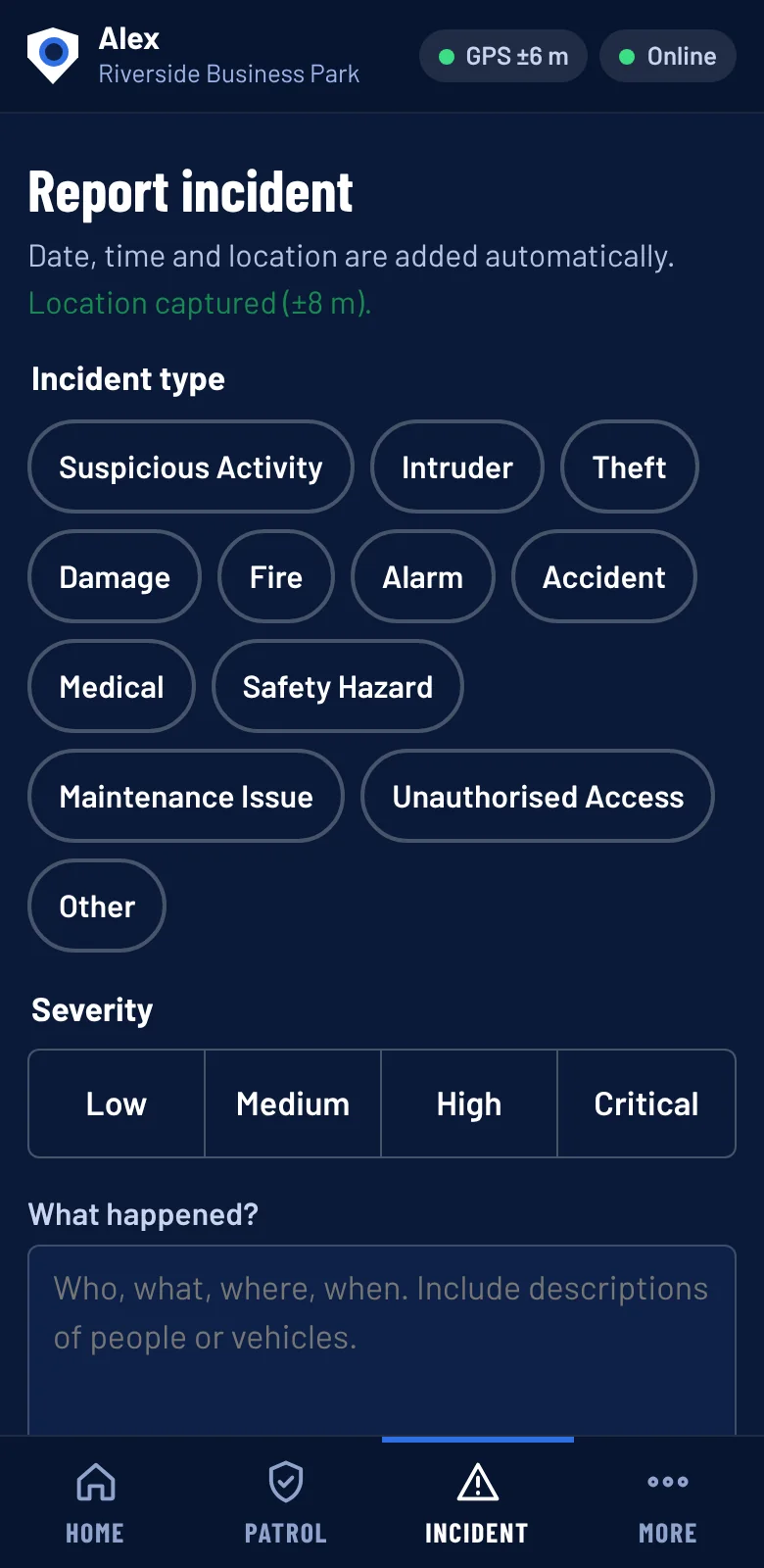
Guards record incidents in seconds: type, severity, what happened and where. Managers get an email for high and critical incidents and can track each one from Open to Resolved with notes.
- Photo, video and audio evidence where the client allows it
- Evidence can be switched off per site
- Optional police and emergency flags
- One-tap SOS emails managers with the guard’s location
Lone-worker safety without the phone calls
Set a welfare check at fixed times (for example 02:00) or every so many minutes inside a night window. If a guard does not confirm in time, managers are alerted and it is logged as missed.
- Configurable times, intervals and grace period
- Missed checks flagged on the dashboard and in reports
Scores and trends you can click through
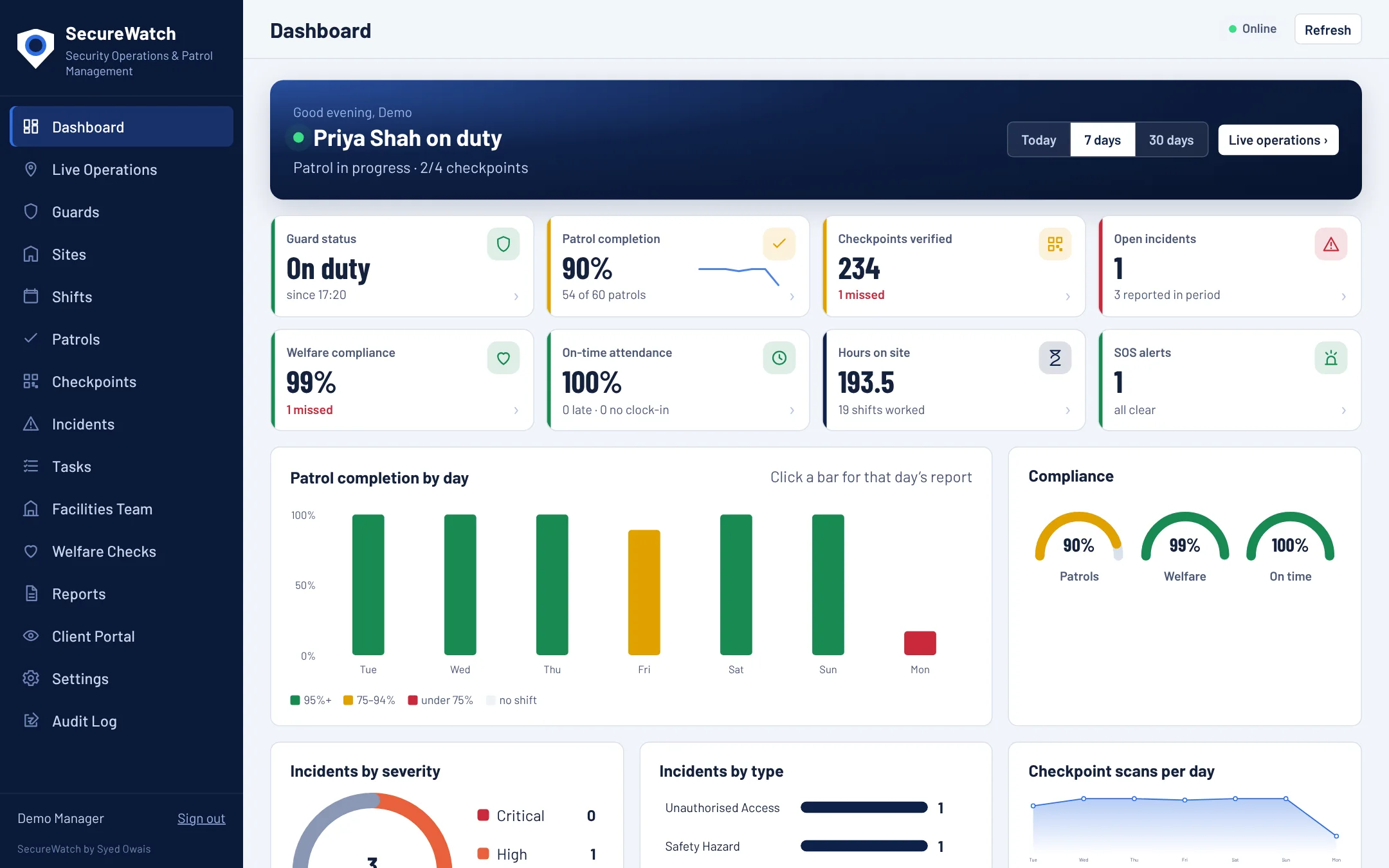
The dashboard rolls patrols, welfare checks and attendance into simple scores for today, 7 days or 30 days. Click a bar or a tile and you land on the records behind it.
- Staff performance and guard profiles
- Incidents by severity and type
- When work happens, by day and hour
Client-ready reports without the spreadsheet
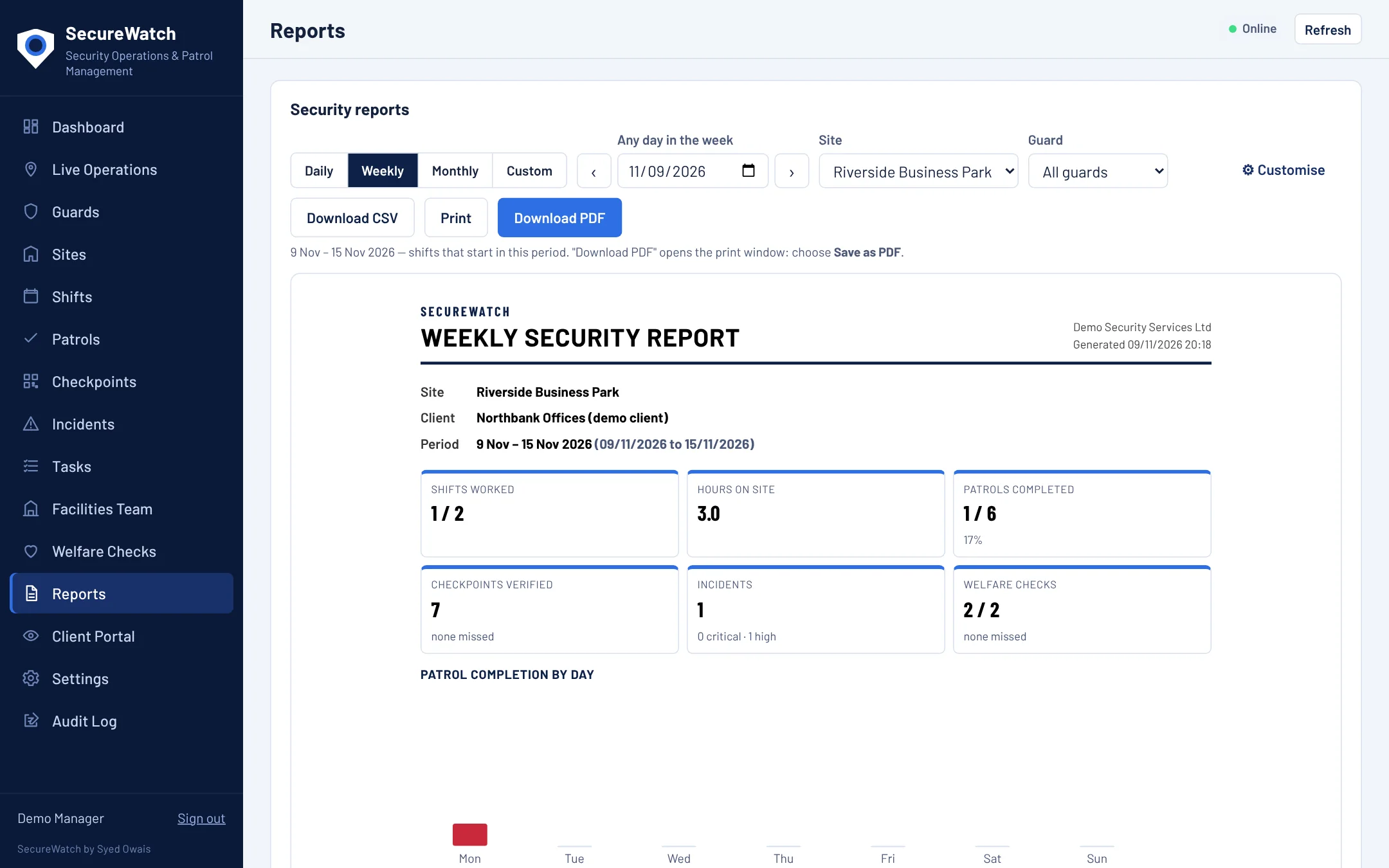
Daily, weekly, monthly or custom date ranges, as PDF or CSV. Choose which sections appear so each client gets the report they expect. Daily and weekly reports can also be emailed automatically.
- Switch sections on or off
- Contains attendance, patrols, incidents, welfare and SOS
- Export any table to CSV
Transparency your clients will appreciate
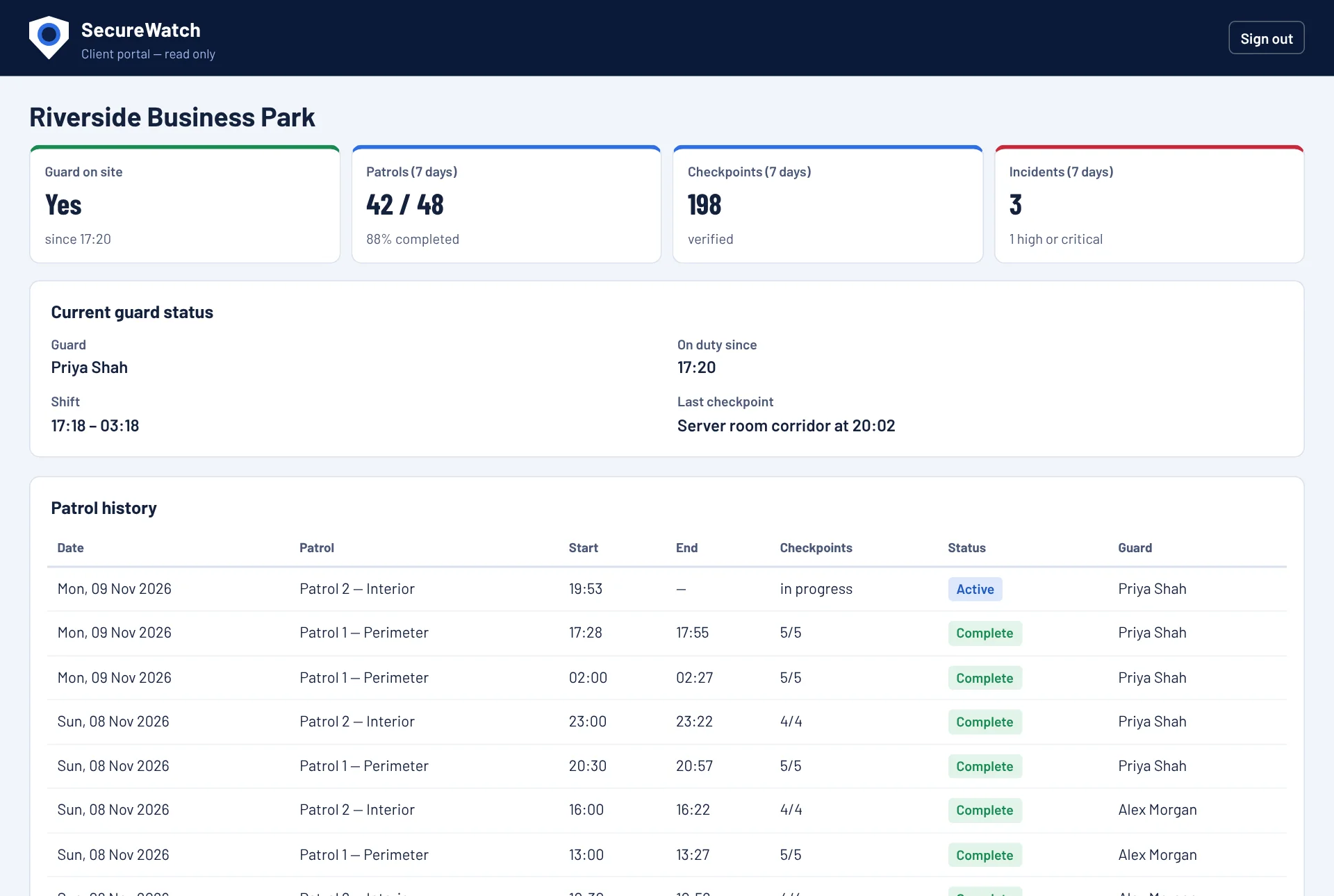
Give each client a login that shows only their site, read-only. You control what is visible with on/off switches, and the server enforces it, so hidden means hidden.
- Current guard status and patrol history
- Incident summary
- Sign-in with their own username and strong password
Roster with confidence
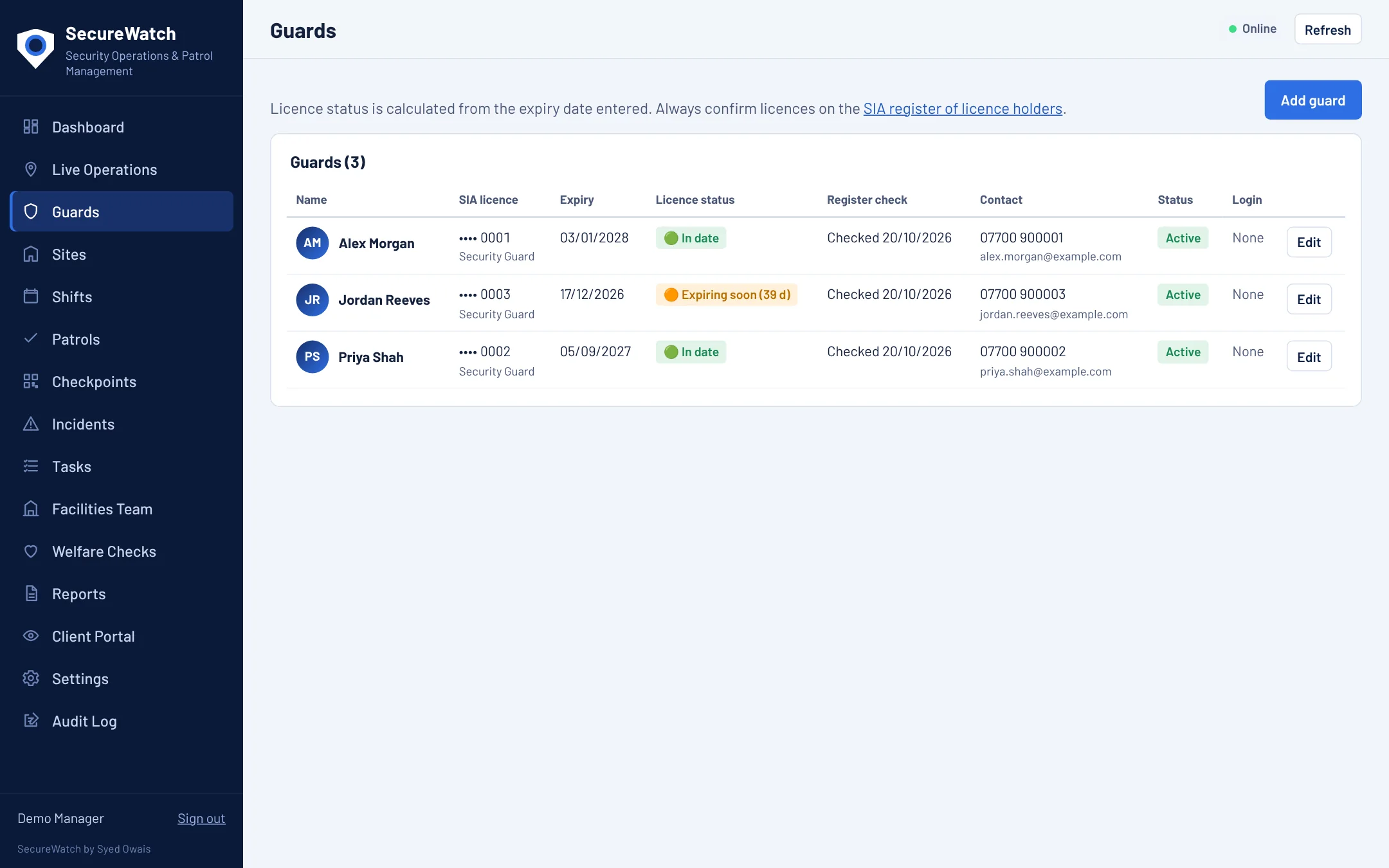
Plan shifts per guard and site. SecureWatch warns about overlapping shifts and will not let you roster a guard whose SIA licence has expired or expires before the shift.
- Licence expiry warnings and second-licence support
- Late and no-clock-in tracking
- Guard photos and contact details
Tasks for facilities managers, tracked to done
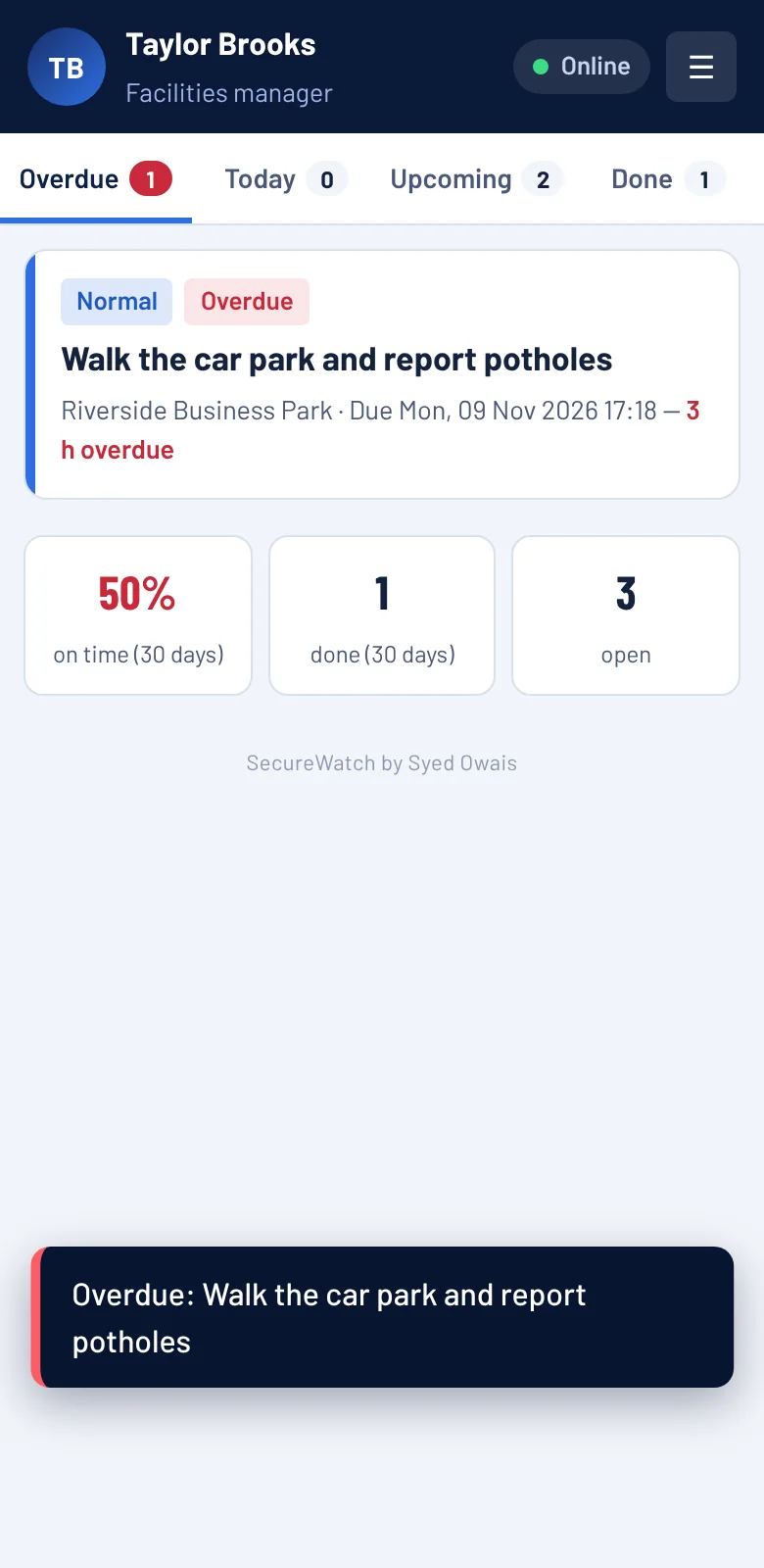
Add facilities managers and assign tasks with a due date and priority. They get reminders; overdue tasks email the right people every 24 hours until done; repeating tasks create themselves.
- Daily, weekly and monthly repeats
- Notify extra people on overdue
- Performance monitoring per facilities manager
- Phone-friendly task list
And the details that matter
Offline first
Guards keep working without signal. Records upload when it returns.
Installs like an app
Add to the home screen on Android or iPhone. No app store, no downloads.
Always UK time
Times show in UK time wherever the device is, so reports always agree.
Email alerts
SOS, missed welfare checks, high-severity incidents, incomplete patrols and task events.
Secure by design
Role-based access enforced on the server, two-step login and an audit trail. Read more
Approval for new users
People can request an account, but nobody gets in until a manager approves.
See it working. No sign-up needed.
Open the live demo with realistic fictional data. Switch between the manager, guard, client and facilities views and try everything.