Know every patrol happened. Prove it.
SecureWatch turns QR checkpoints, GPS, welfare checks and incident reports into live dashboards and client-ready reports. Built by a UK facilities company and used every day on a live contract.
- Works offline, installs like an app
- Data hosted in the UK (London)
- UK time and SIA licence tracking built in
- Read-only client portal
Paper logs and phone calls don’t prove anything
When a client asks “were the patrols done last night?”, you need an answer you can show, not a story.
“They said they walked it.”
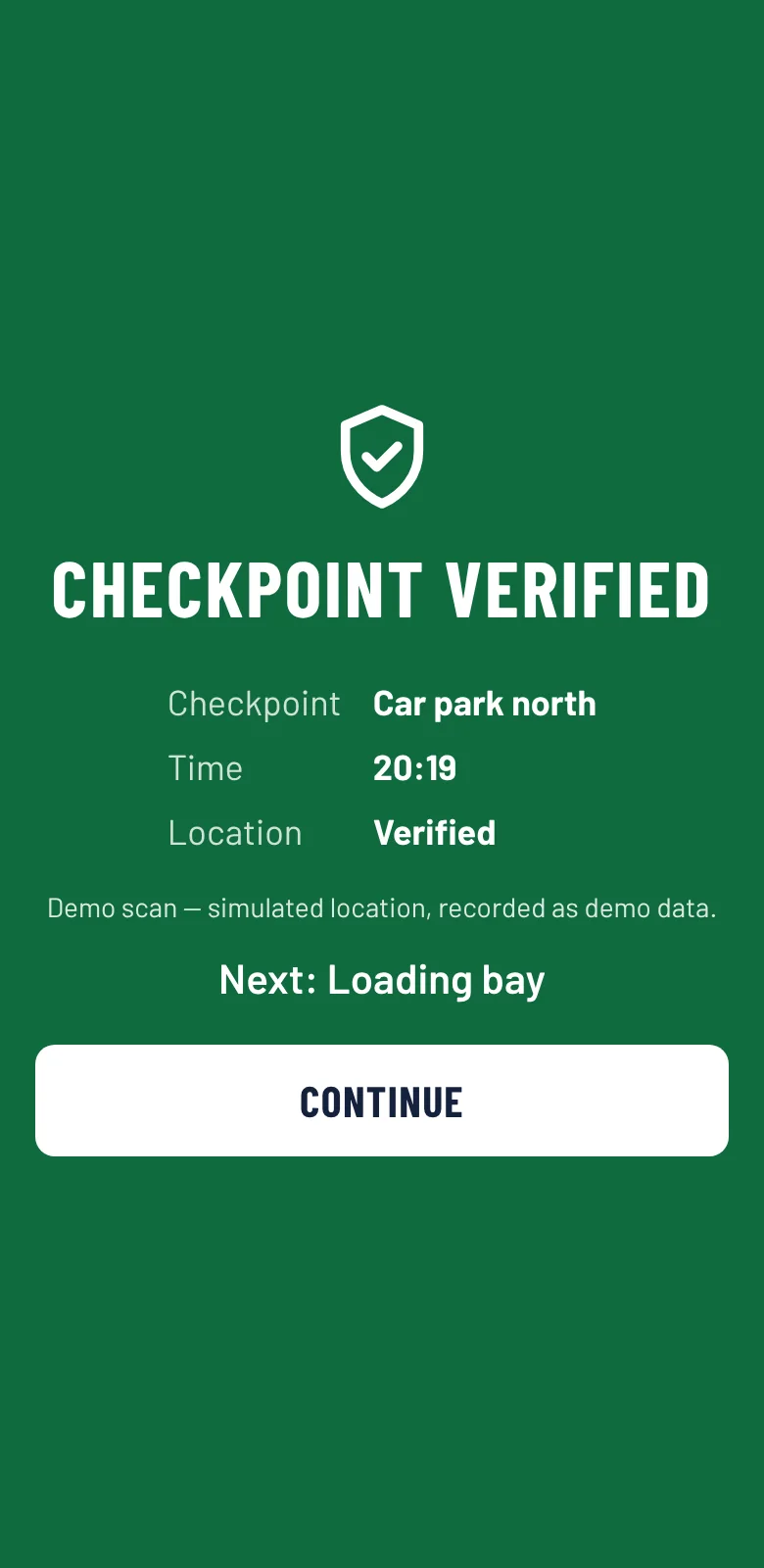
Paper sheets can be filled in later. SecureWatch records a scan with the time and GPS position at the moment the guard is standing at the checkpoint.
Problems found too late
A missed welfare check or an incomplete patrol raises an alert straight away, not in next week’s report.
Reports take hours
Daily, weekly and monthly reports are generated for you as PDF or CSV, ready to send to the client.
Everyone sees what they need
Simple on a phone, even at 3am
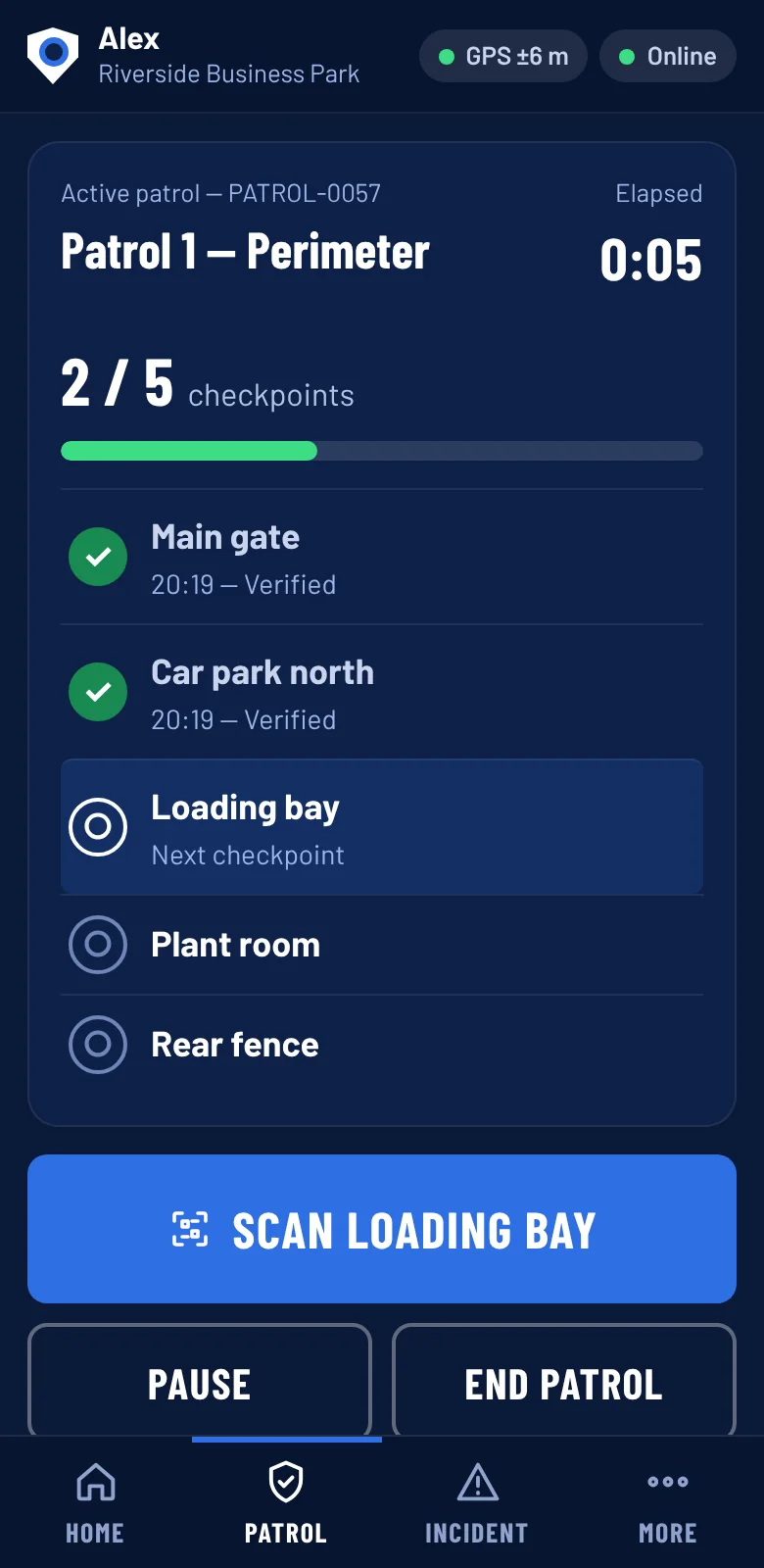
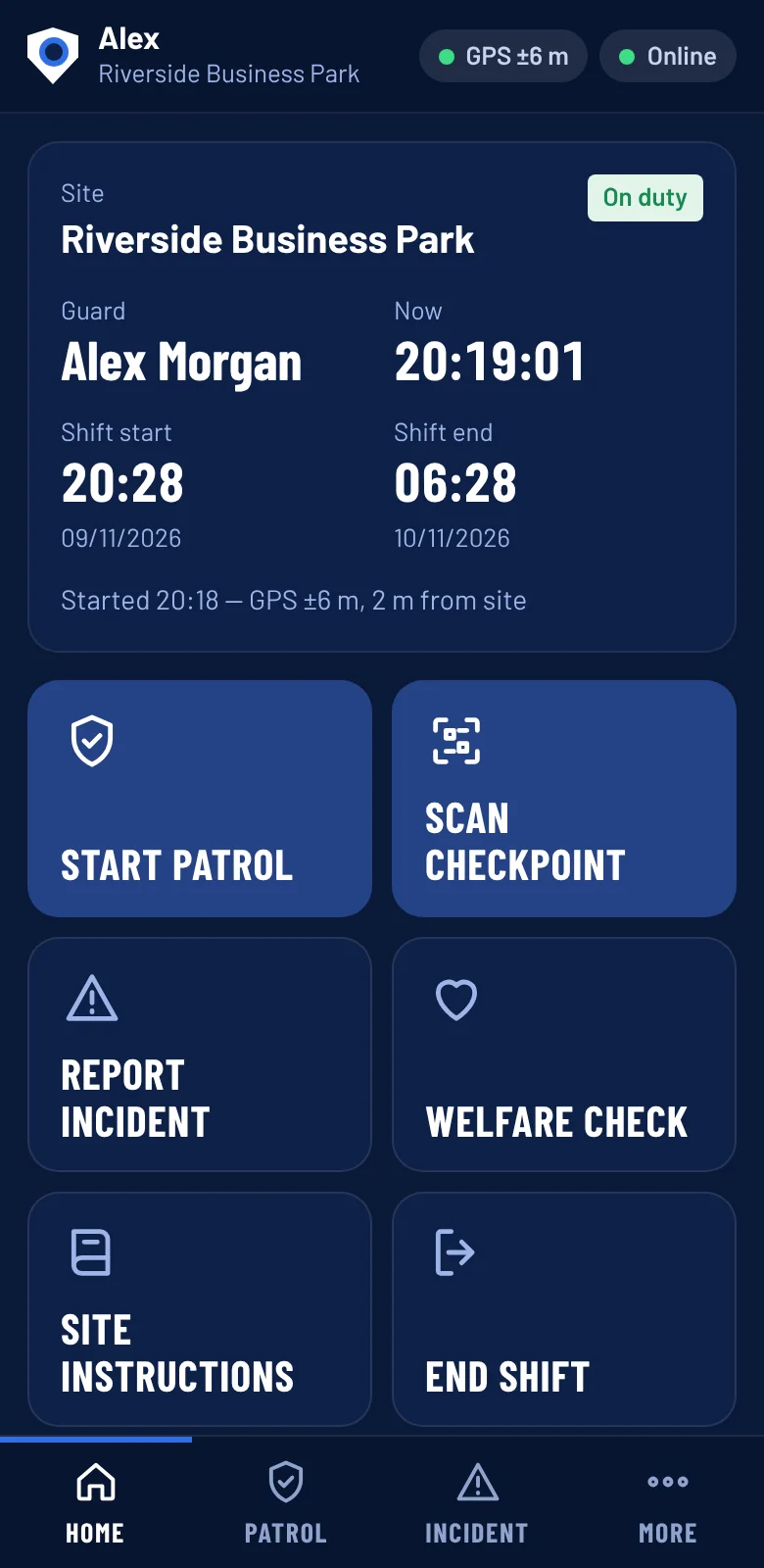
Big buttons, clear steps. Guards start their shift, walk the route, scan checkpoints and report anything unusual. If the signal drops, everything is saved on the phone and uploads when it returns.
- Start and end shift with GPS
- Scan QR checkpoints in order
- Report incidents with photos where allowed
- One-tap SOS and welfare check-ins
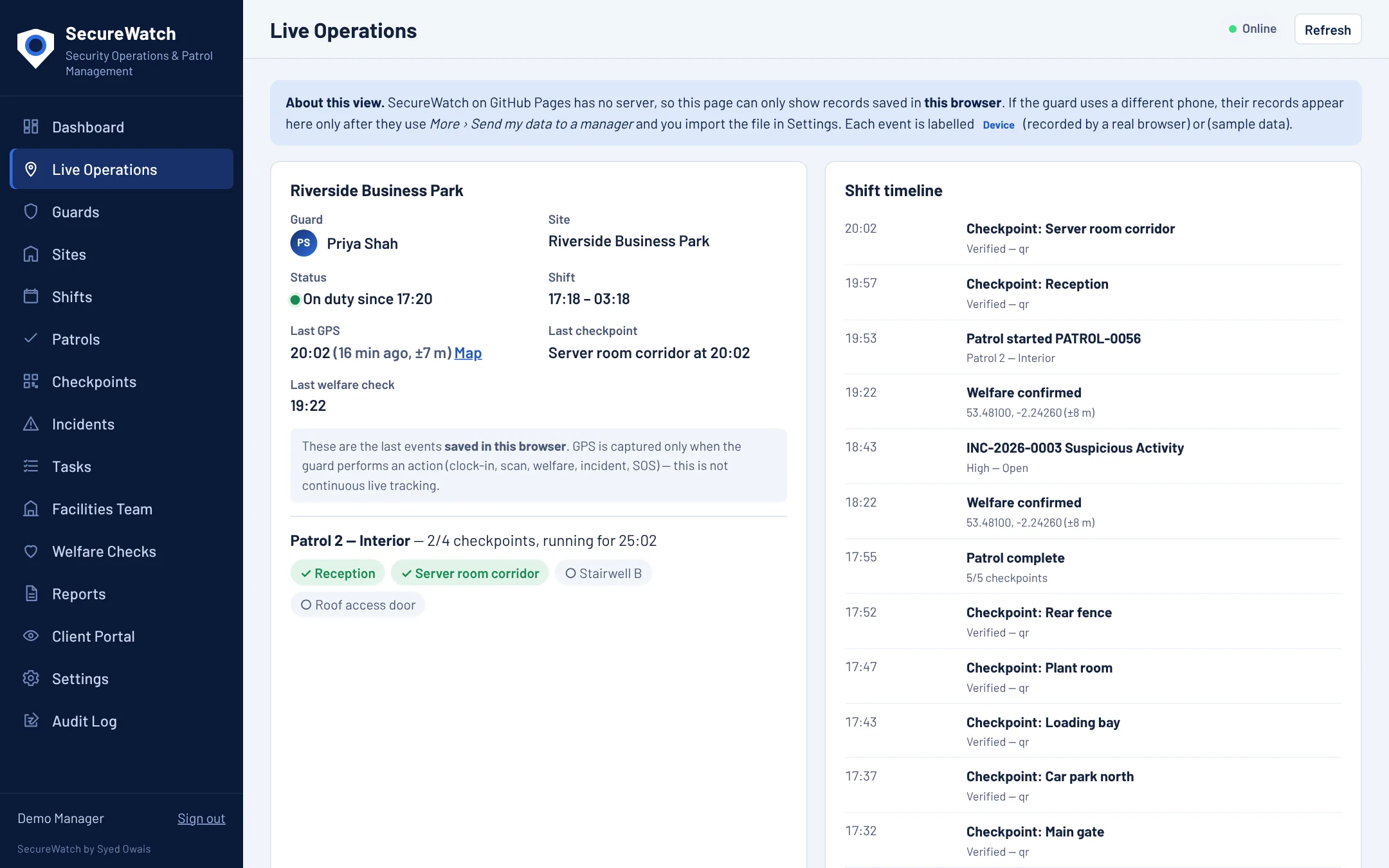
See your whole operation at a glance
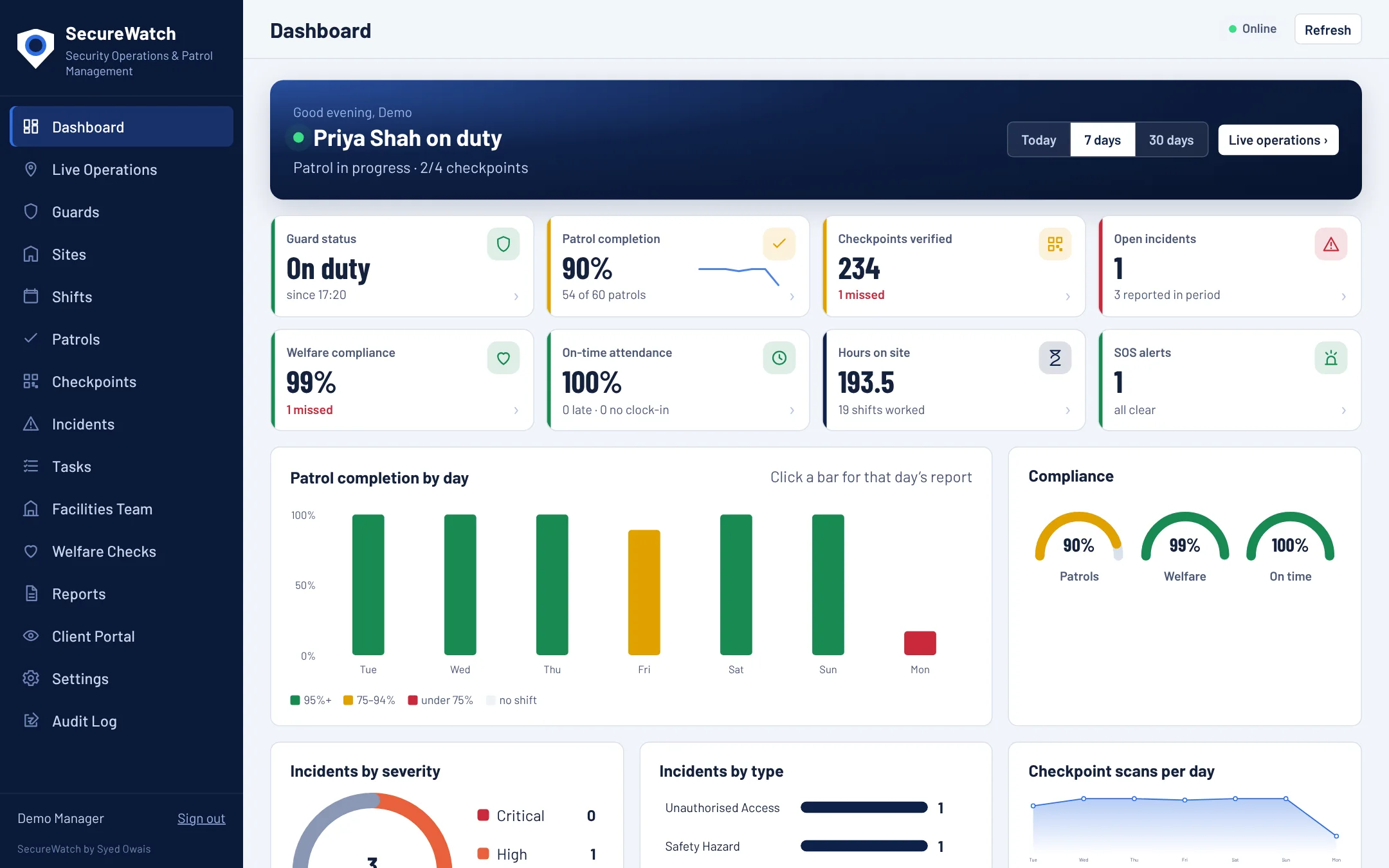
A live dashboard shows who is on duty, the last checkpoint and GPS fix, patrol completion and any open incidents. Click any chart to see the detail behind it.
- Live operations and shift timeline
- Patrol, welfare and attendance scores
- Incidents with a full status history
- Roster guards with licence checks
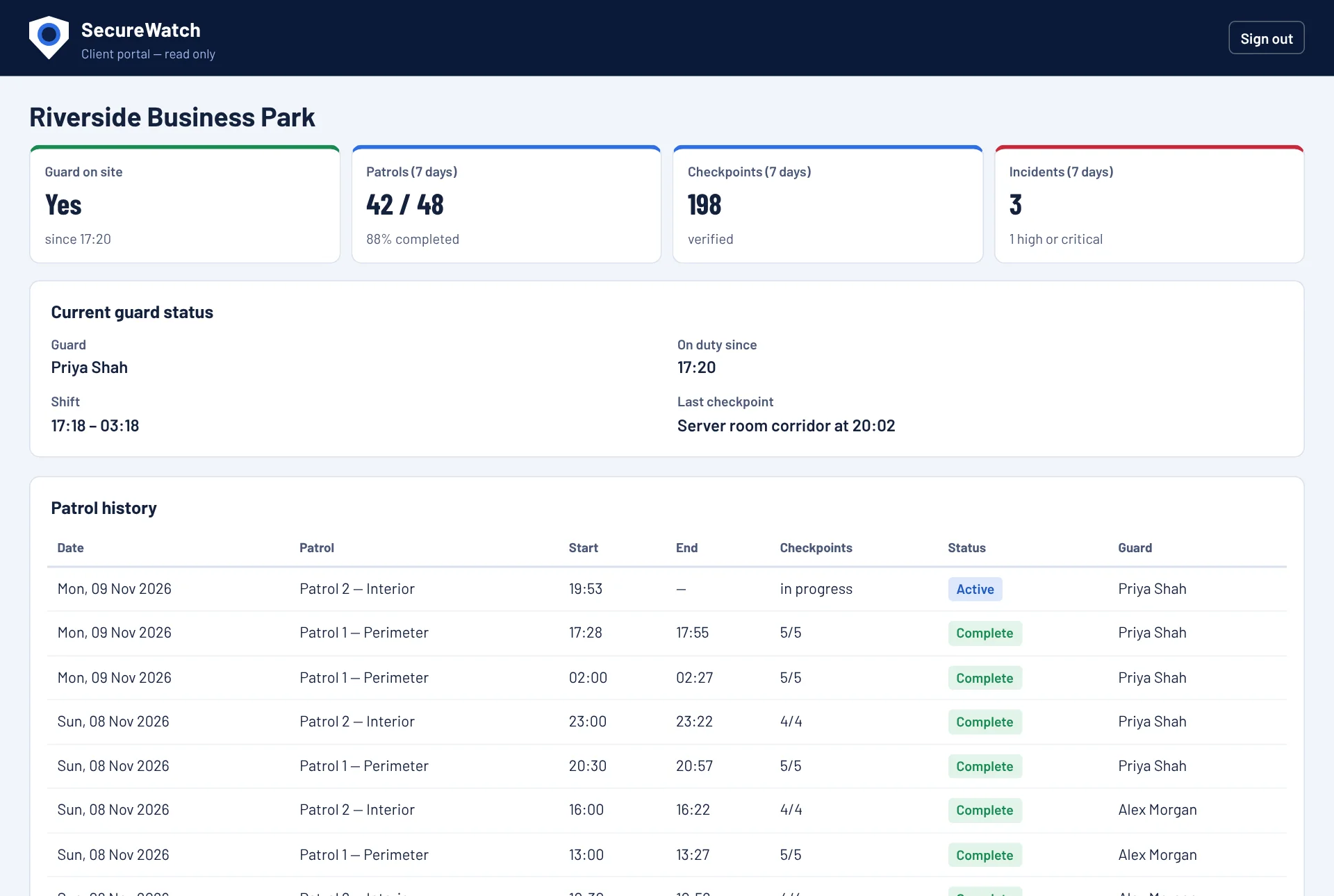
Give clients confidence, not access to everything
Clients get a read-only portal for their own site. You choose what they can see with simple switches, and the restriction is enforced on the server, not just hidden on screen.
- Guard on site now, patrol history, incident summary
- You decide what is visible
- Always read-only
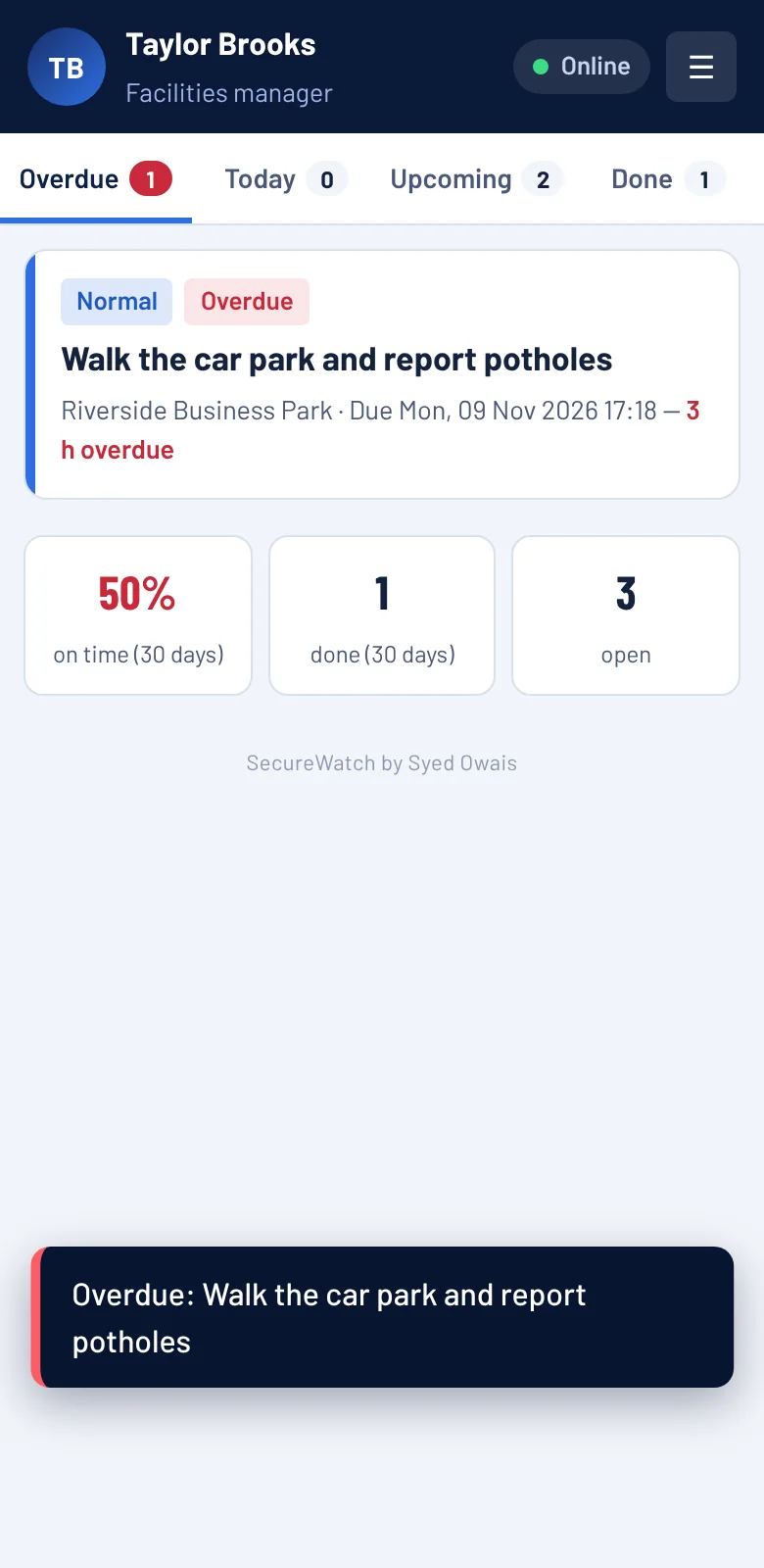
Tasks for the facilities team, tracked to done
Assign jobs to facilities managers with due dates and priorities. They get reminders, overdue tasks email the right people, and repeating jobs create themselves.
- Reminders before the due time
- Overdue emails every 24 hours until done
- Daily, weekly or monthly repeats
- Performance monitoring per person
Everything a security contract needs
QR patrols
Printable QR checkpoints on routes you define.
GPS verified
Every scan and clock-in checked against the site location.
Welfare checks
Scheduled lone-worker check-ins with missed-check alerts.
SOS button
Instant alert with location to managers by email.
Incident reports
Type, severity, location and evidence, with status tracking.
SIA licence tracking
Expiry warnings, and no rostering with an expired licence.
Rota and shifts
Plan shifts, spot clashes and see who is late.
Reports
Daily, weekly, monthly or custom, as PDF or CSV.
Live in an afternoon
Set up your site
Add the site, guards and patrol routes. Checkpoints are just names on a map.
Print the QR codes
SecureWatch makes a printable code for every checkpoint. Stick them up.
Guards patrol
Guards open SecureWatch on their phone, start the shift and scan as they walk.
You and your client see it
Live dashboards, instant alerts and reports without chasing anyone.
Common questions
Do guards need to install anything from an app store?
No. SecureWatch is a web app. Guards open the link and add it to their home screen, and it behaves like an app, including offline.
What if there is no signal on site?
Everything the guard does is saved on the phone first and uploads automatically when the signal returns.
Can we turn off photos and video for a client that does not allow them?
Yes. Evidence capture can be switched off per site.
Where is our data stored?
On a managed database hosted in London, UK. Access is controlled by role: guards see their own records, clients see read-only information you allow, and managers see everything.
Can we try it before we decide?
Yes. Open the live demo any time, or book a call and we will walk you through it.
See it working. No sign-up needed.
Open the live demo with realistic fictional data. Switch between the manager, guard, client and facilities views and try everything.